⚠️ The game is currently only available in Dutch.
There is something contagious about genuine enthusiasm. Watching my club mates at ON6WL pour their hearts into developing the WLD ARDF NextGen system — building, testing, fine-tuning, day after day — does something to you. It makes you want to contribute.
So when I was asked to help put together the PowerPoint presentation introducing the WLD NextGen at HamCon 2026, I did not hesitate for a second. It was an honour. And sitting there, working through the slides, thinking about how to explain ARDF to a wider audience, a question kept nagging me:
How do you get people excited about something they have never tried?
The answer I came up with: let them try it. Virtually.
Introducing the Online Fox Hunt
Meet FoxWave — a browser-based virtual ARDF game I built to bring the fox hunting experience to anyone, anywhere, no licence required, no field required.
It runs entirely in your browser. No install. No account. Mouse or keyboard, your choice. And it is, I say this without exaggeration, surprisingly addictive.
How It Works
The concept mirrors real ARDF as closely as possible.
Your mission: find 5 hidden radio beacons scattered across the terrain and make it back to base before time runs out.
The world has a deliberately blocky, Minecraft-like feel, cheerful, accessible, and just atmospheric enough to make you feel like you are genuinely out in the field. Start the hunt and you will find yourself standing right next to the WLD tent. Turn around, and there is the ON6WL club tent too. A small wink to everyone who has been part of this journey.
Read the Briefing First
Before you head out, read the briefing. It covers the keyboard shortcuts and everything you need to know to play efficiently.
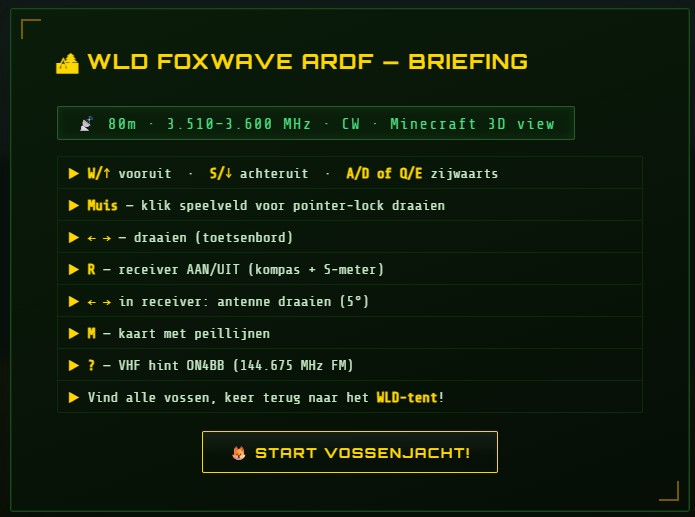
The most important controls are also shown on screen during the game, so do not worry if you forget something mid-hunt.
Stuck? Press ? and ON4BB will come in over the radio with an extra hint. Yes, really.
The Minimap
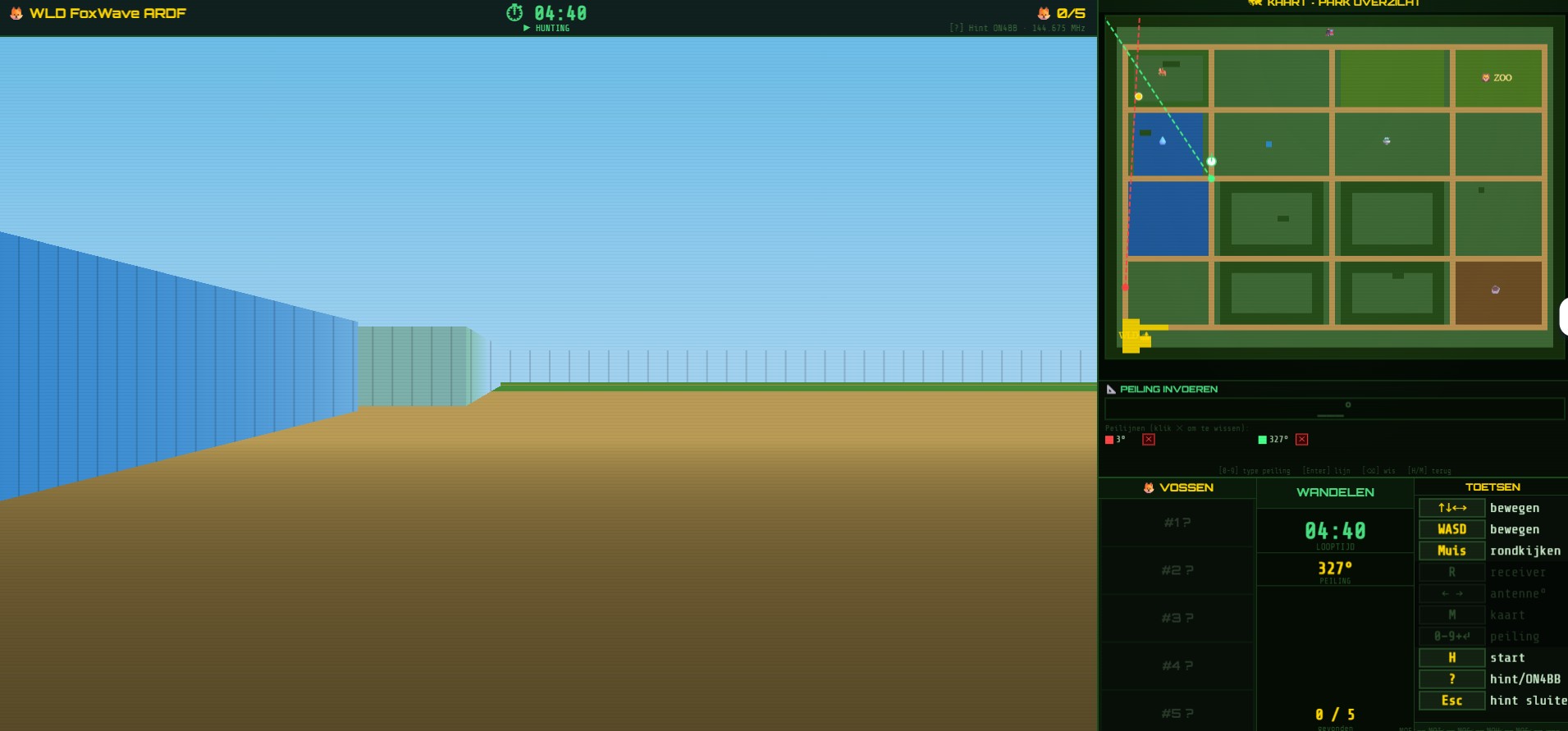
In the top right corner you will see a minimap, think of it as the paper map every real ARDF competitor carries. It becomes your most important tool as the hunt progresses.
The Receiver
Press R to bring up your virtual receiver.
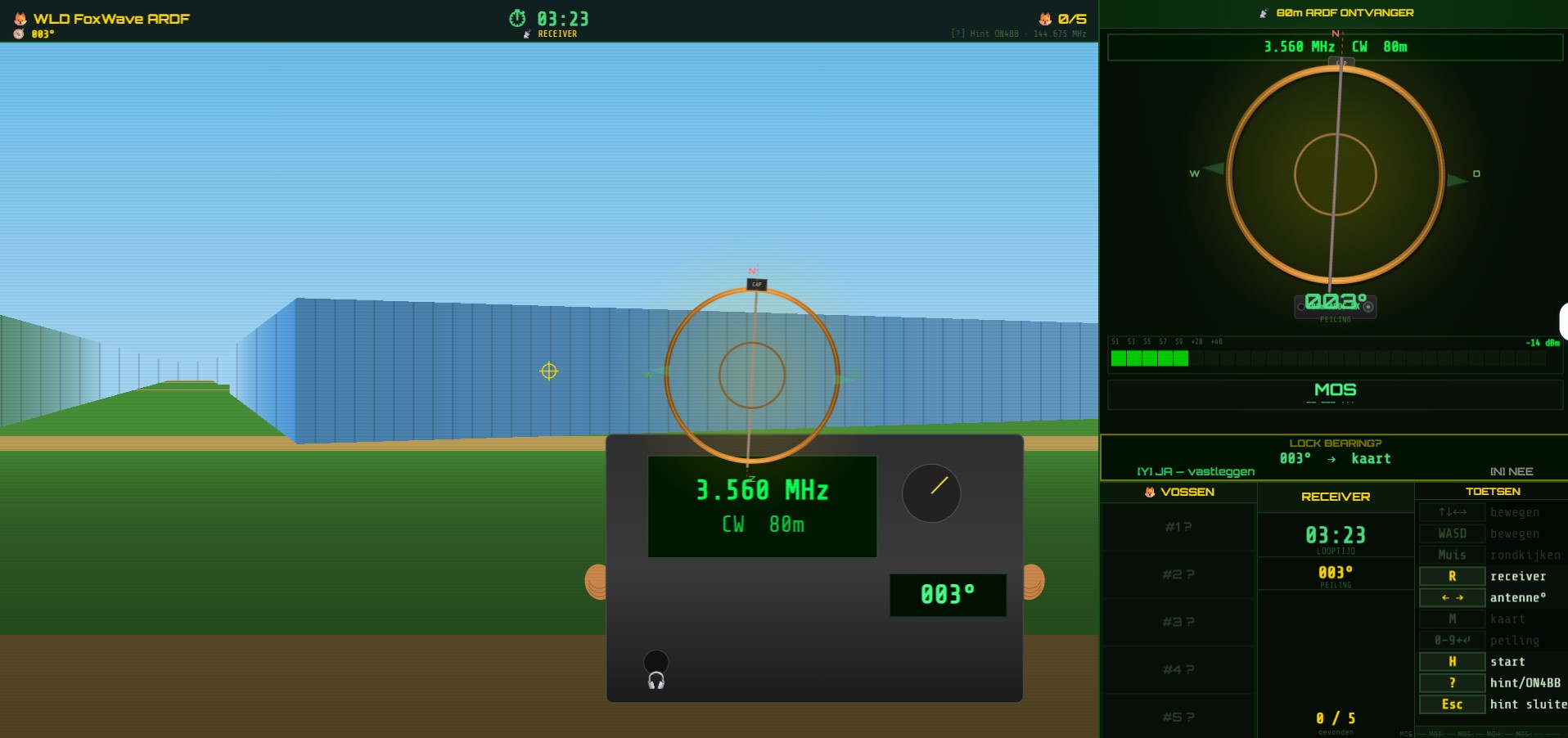
Just like in real ARDF, you get two things: an audible signal and a visual signal strength meter. Rotate until the signal peaks, decide you are lined up correctly, and press Y (for Yes). Your bearing gets plotted on the minimap.
Move to a different spot. Take another bearing. Where the two lines cross, that is where your fox is hiding.
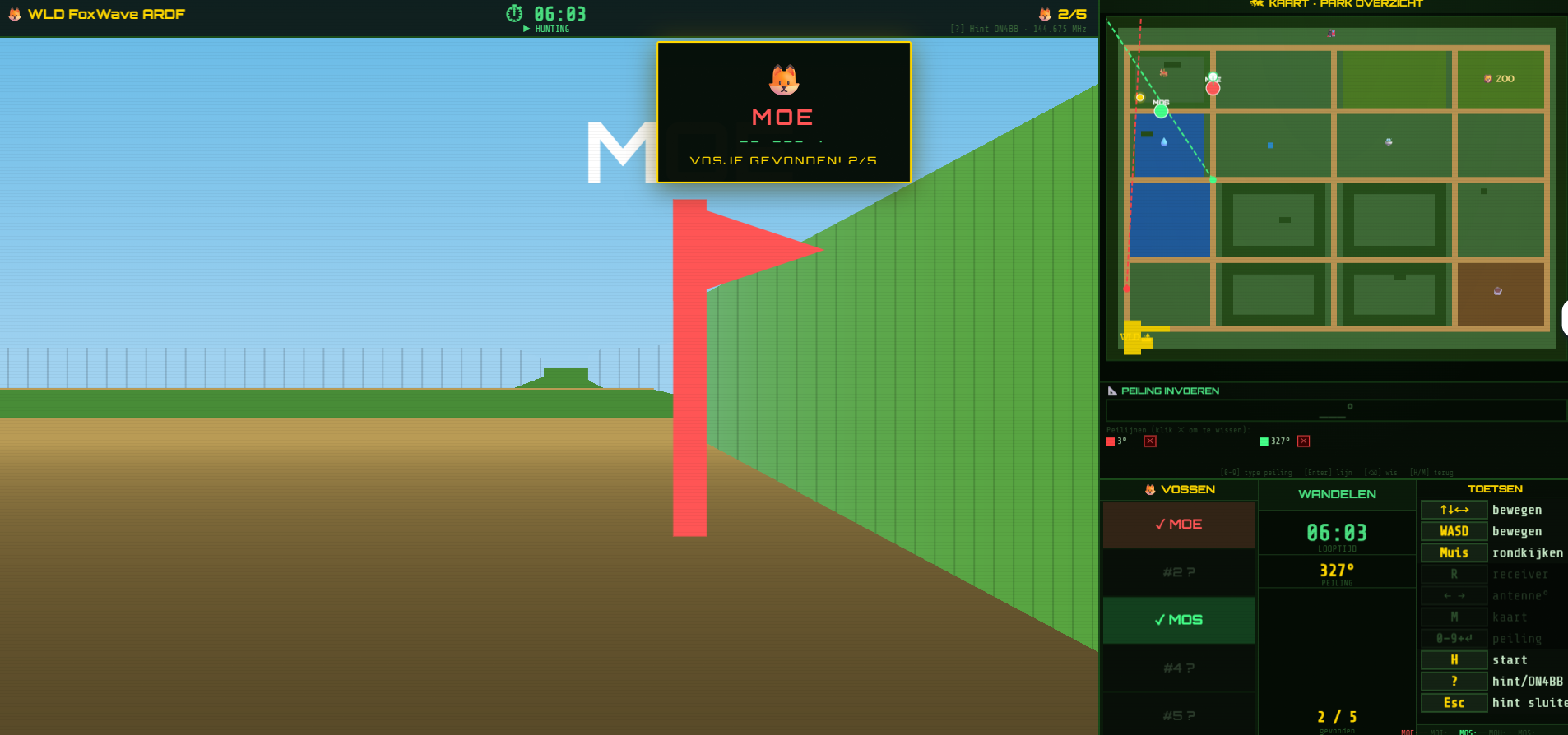
Found a Fox!
When you reach a beacon, you will get confirmation on screen and your scorecard will light up in that fox’s colour.
Five foxes found? Sprint back to the tent at the start. When you arrive, you can download a personalised certificate. Because every fox hunter deserves recognition.
Download the Game Rules (in Dutch)
Want a full overview of how to play before you start? Download the instruction sheet:
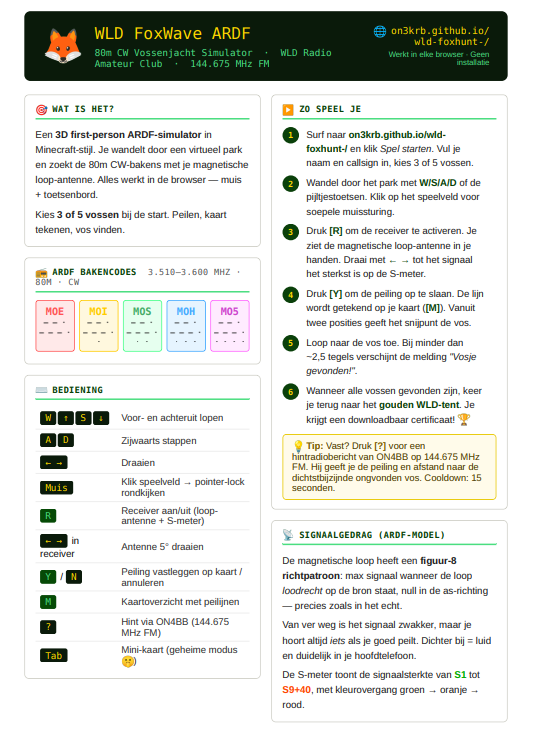
(Click the image to open the full version)
Why This Matters
ARDF is not just a niche activity for hardcore radio operators. It is sport. It is puzzle-solving. It is technology. It is the outdoors. And it is deeply social, the community around it is very warmfull.
The WLD NextGen system, built with real craftsmanship by the team at ON6WL, deserves to be known beyond the field events and club meetings. A virtual game is not a replacement for the real thing, it is a door. If even a handful of people try FoxWave, get curious, and show up to a real ARDF event as a result, then it has done its job.
Go hunt some foxes. And if you enjoy it, come find us at ON6WL.
73, Kristof — ON3VZ